CI/CD • Jenkins • Docker Standalone • GitHub
How to Set Up CI/CD with Jenkins and Docker Standalone (GitHub)
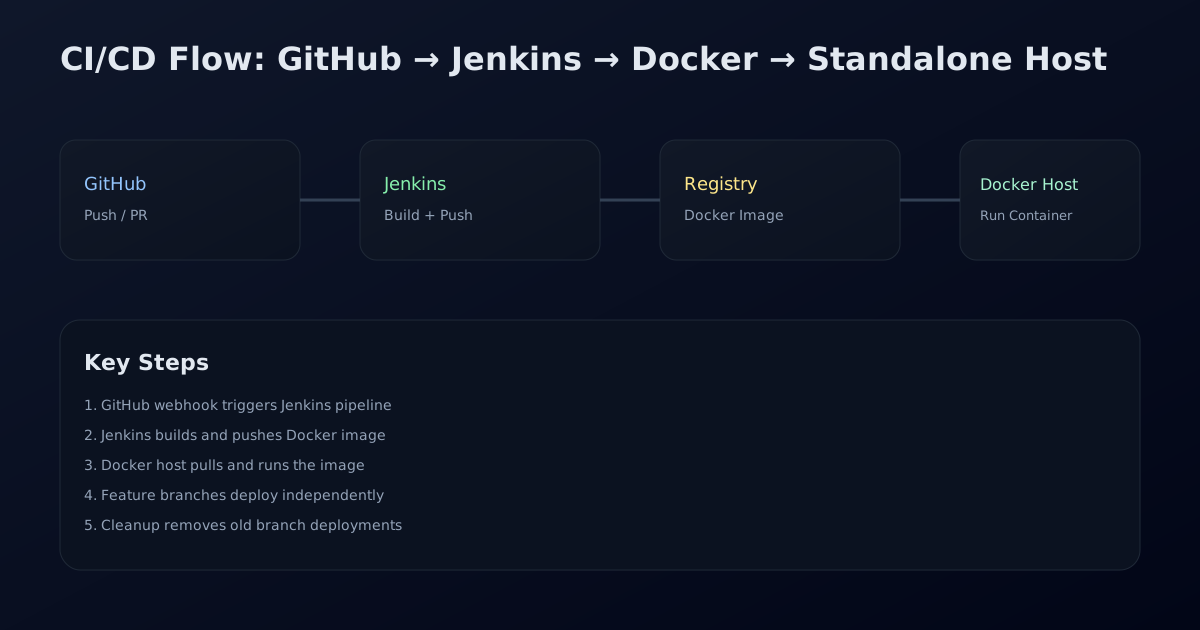
This guide shows a complete, production-ready setup: GitHub pushes trigger Jenkins, Jenkins builds a Docker image, pushes it to a registry, and deploys it to a standalone Docker host. It also covers branch-based deployments and cleanup after merges.
Prerequisites
Make sure you have these ready before starting:
- GitHub organization and a repository with your application code.
- Jenkins server (Docker or VM) reachable from GitHub.
- Docker installed on the target deployment host.
- A container registry: Docker Hub or GHCR.
- A domain or IP for your application (optional but recommended).
Step 1: Create a GitHub Organization and Repo
Create your GitHub organization, then create a repo for the app. Add your application code and a `Dockerfile` (example below).
Step 2: Install Jenkins Plugins
In Jenkins, install these plugins:
- GitHub Integration
- Pipeline
- Docker
- Credentials Binding
- SSH Agent
Step 3: Add GitHub Credentials in Jenkins
Create a GitHub Personal Access Token and add it in Jenkins:
- Jenkins → Manage Jenkins → Credentials
- Global → Add Credentials
- Kind: Secret Text
- Value: your GitHub token
- ID: `github-token`
Step 4: Create an Organization Folder
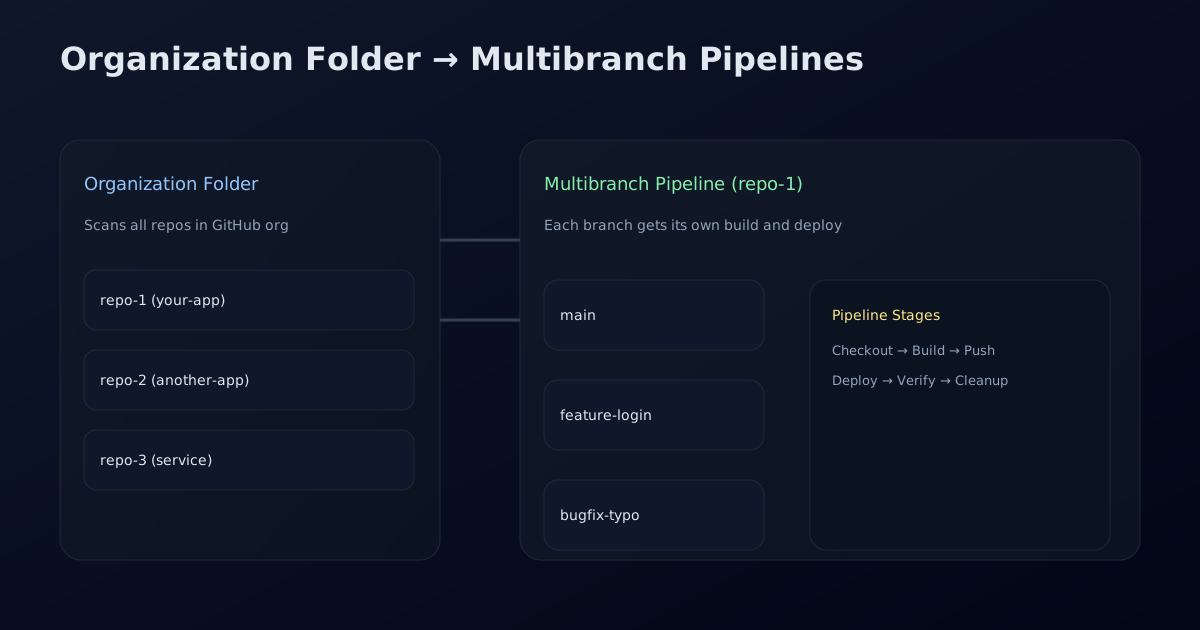
Create a Jenkins **Organization Folder** to scan all repos in your GitHub org.
- Jenkins → New Item → Organization Folder
- Select GitHub and choose `github-token`
- Enter your organization name
- Save and run "Scan Organization"
Step 5: Configure GitHub Webhook
In your repo settings, add a webhook:
Payload URL: https://<jenkins-domain>/github-webhook/
Content type: application/json
Events: Push + Pull Request
Now every push triggers a Jenkins build automatically.
Step 6: Add a Dockerfile
This is a minimal example for a Node.js app. Replace it with your stack.
FROM node:20-alpine
WORKDIR /app
COPY package*.json ./
RUN npm ci
COPY . .
RUN npm run build
EXPOSE 3000
CMD ["npm", "start"]
Step 7: Add a Jenkinsfile
This pipeline builds and pushes the Docker image, then deploys to a standalone Docker host using SSH.
pipeline {
  agent any

  environment {
    REGISTRY = "docker.io/your-username"
    IMAGE_NAME = "your-app"
    IMAGE_TAG = "${env.BRANCH_NAME}-${env.BUILD_NUMBER}"
    FULL_IMAGE = "${REGISTRY}/${IMAGE_NAME}:${IMAGE_TAG}"
    DEPLOY_HOST = "your.server.ip"
    DEPLOY_USER = "ubuntu"
    APP_PORT = "3000"
    CONTAINER_NAME = "your-app-${env.BRANCH_NAME}"
  }

  stages {
    stage("Checkout") {
      steps { checkout scm }
    }

    stage("Build Image") {
      steps {
        sh "docker build -t ${FULL_IMAGE} ."
      }
    }

    stage("Push Image") {
      steps {
        withCredentials([usernamePassword(
          credentialsId: "docker-registry",
          usernameVariable: "DOCKER_USER",
          passwordVariable: "DOCKER_PASS"
        )]) {
          sh "echo $DOCKER_PASS | docker login -u $DOCKER_USER --password-stdin"
          sh "docker push ${FULL_IMAGE}"
        }
      }
    }

    stage("Deploy") {
      steps {
        sshagent(credentials: ["deploy-ssh-key"]) {
          sh '''
            ssh -o StrictHostKeyChecking=no ${DEPLOY_USER}@${DEPLOY_HOST} \
              "docker pull ${FULL_IMAGE} &&
               docker rm -f ${CONTAINER_NAME} || true &&
               docker run -d --name ${CONTAINER_NAME} -p ${APP_PORT}:3000 ${FULL_IMAGE}"
          '''
        }
      }
    }
  }
}
Store Docker registry credentials in Jenkins with ID `docker-registry`, and an SSH private key with ID `deploy-ssh-key`.
Step 8: Branch-Based Deployments
Each branch gets its own container name like `your-app-feature-login`. This lets you test features in isolation.
Step 9: Cleanup on Merge (Optional)
After a PR merges, you can delete the feature branch container. Add a cleanup stage triggered for merged branches.
stage("Cleanup") {
  when { branch "main" }
  steps {
    sshagent(credentials: ["deploy-ssh-key"]) {
      sh '''
        ssh -o StrictHostKeyChecking=no ${DEPLOY_USER}@${DEPLOY_HOST} \
          "docker ps -a | grep your-app-feature- | awk '{print \$1}' | xargs -r docker rm -f"
      '''
    }
  }
}
Final Checklist
- GitHub webhook triggers Jenkins builds
- Jenkins builds and pushes Docker images
- Standalone Docker host pulls and runs the container
- Feature branches deploy independently
- Cleanup removes old deployments
Need a custom pipeline?
If you want a version tailored to your exact stack and infra, share your repo type and server details and I can customize it.